Building a Multimodal Visual Search System with DINO, SigLIP, and USearch
This post walks through the core pieces of a modern visual search stack: image embeddings, text embeddings, fast indexing, and an interactive demo. The focus is on practical, minimal examples you can adapt to your own datasets.
Image‑to‑Image Search with DINO and SigLIP
Image‑to‑image search has a simple pattern:
- Encode a query image into an embedding vector.
- Encode all dataset images into embeddings.
- Retrieve nearest neighbors in embedding space.
Below is a minimal example using Hugging Face Transformers for both DINO and SigLIP. DINO is strong for fine‑grained similarity; SigLIP is highly semantic and works well even when the visual match is not exact.
import torch
from PIL import Image
from transformers import AutoImageProcessor, AutoModel

device = "mps" if torch.backends.mps.is_available() else "cpu"

# DINO v3
dino_id = "facebook/dinov3-vits16plus-pretrain-lvd1689m"
dino_processor = AutoImageProcessor.from_pretrained(dino_id)
dino_model = AutoModel.from_pretrained(dino_id).to(device).eval()

image = Image.open("query.jpg").convert("RGB")
inputs = dino_processor(images=image, return_tensors="pt").to(device)

with torch.inference_mode():
    dino_outputs = dino_model(**inputs)
    dino_embedding = dino_outputs.last_hidden_state[:, 0]  # CLS token

# SigLIP2 (image encoder)
siglip_id = "google/siglip2-base-patch16-naflex"
siglip_processor = AutoImageProcessor.from_pretrained(siglip_id)
siglip_model = AutoModel.from_pretrained(siglip_id).to(device).eval()

inputs = siglip_processor(images=image, return_tensors="pt").to(device)
with torch.inference_mode():
    siglip_embedding = siglip_model.get_image_features(**inputs)
Text‑to‑Image Search with SigLIP
SigLIP provides aligned text and image embeddings, making text‑to‑image search straightforward: embed the text, then search against the image embeddings.
import torch
from transformers import AutoProcessor, AutoModel

device = "mps" if torch.backends.mps.is_available() else "cpu"

siglip_id = "google/siglip2-base-patch16-naflex"
processor = AutoProcessor.from_pretrained(siglip_id)
model = AutoModel.from_pretrained(siglip_id).to(device).eval()

text = "a dog catching a frisbee"
inputs = processor(text=text, return_tensors="pt", padding=True).to(device)

with torch.inference_mode():
    text_embedding = model.get_text_features(**inputs)
Accelerating Inference on Apple M‑Series (MPS)
Apple Silicon users can get significant speedups by placing models on the MPS backend. The following pattern works across DINO and SigLIP:
import torch
from transformers import AutoModel

device = "mps" if torch.backends.mps.is_available() else "cpu"
model = AutoModel.from_pretrained("facebook/dinov3-vits16plus-pretrain-lvd1689m")
model = model.to(device).eval()
bfloat16 vs float16 vs float32
Precision choice is a trade‑off between numerical range, stability, and memory:
- float16 (fp16): 1 sign bit, 5 exponent bits, 10 mantissa bits. Range is limited compared to bf16/fp32, so it can overflow/underflow more easily. Memory is 2 bytes per value.
- bfloat16 (bf16): 1 sign bit, 8 exponent bits, 7 mantissa bits. It matches fp32’s exponent range (better dynamic range than fp16) but has less precision in the mantissa. Memory is 2 bytes per value.
- float32 (fp32): 1 sign bit, 8 exponent bits, 23 mantissa bits. Best precision and range, but uses 4 bytes per value.
Most modern vision‑language checkpoints (including DINO and SigLIP variants) are typically trained with mixed precision (fp16 or bf16 depending on hardware) while retaining fp32 master weights; the exact choice depends on the training stack and hardware. For inference, all three are commonly supported, but stability can vary across devices.
On Apple Silicon, half precision saves memory and improves throughput, but fp16 can be unstable for some models. In particular, DINO v3 yields NaNs with fp16 on M‑series GPUs, while bf16 and fp32 are stable.
import torch
from transformers import AutoModel

device = "mps" if torch.backends.mps.is_available() else "cpu"
model = AutoModel.from_pretrained("facebook/dinov3-vits16plus-pretrain-lvd1689m")

# Prefer bf16 over fp16 on Apple Silicon for stability
model = model.to(device).to(dtype=torch.bfloat16).eval()
In short: bf16 is typically stable on Apple Silicon, while fp16 can fail with DINO v3 on M‑series GPUs.
Indexing and searching with USearch
USearch is a fast, lightweight vector index that works well on consumer hardware and supports half‑precision storage to save space. The snippet below builds an index and searches using a text query embedding (for text‑to‑image search):
import numpy as np
import usearch

# Assume image_embeddings is a NumPy array of shape [N, D]
# and text_embedding is a NumPy array of shape [D]

index = usearch.Index(
    ndim=image_embeddings.shape[1],
    metric="cos",
    dtype=np.float16,  # half precision storage for smaller index
)

index.add(np.arange(len(image_embeddings)), image_embeddings)

query = text_embedding / np.linalg.norm(text_embedding)
results = index.search(query, count=10)
top_ids = results.keys
FAISS is another popular indexing library, but on Apple M‑series the setup encountered a segmentation fault when building half‑precision indexes with SQfp16. For Apple Silicon, USearch has been the more reliable option.
Gradio Demo
Gradio provides a quick way to demo image‑to‑image and text‑to‑image search with a clean UI. Here are screenshots from the demo:
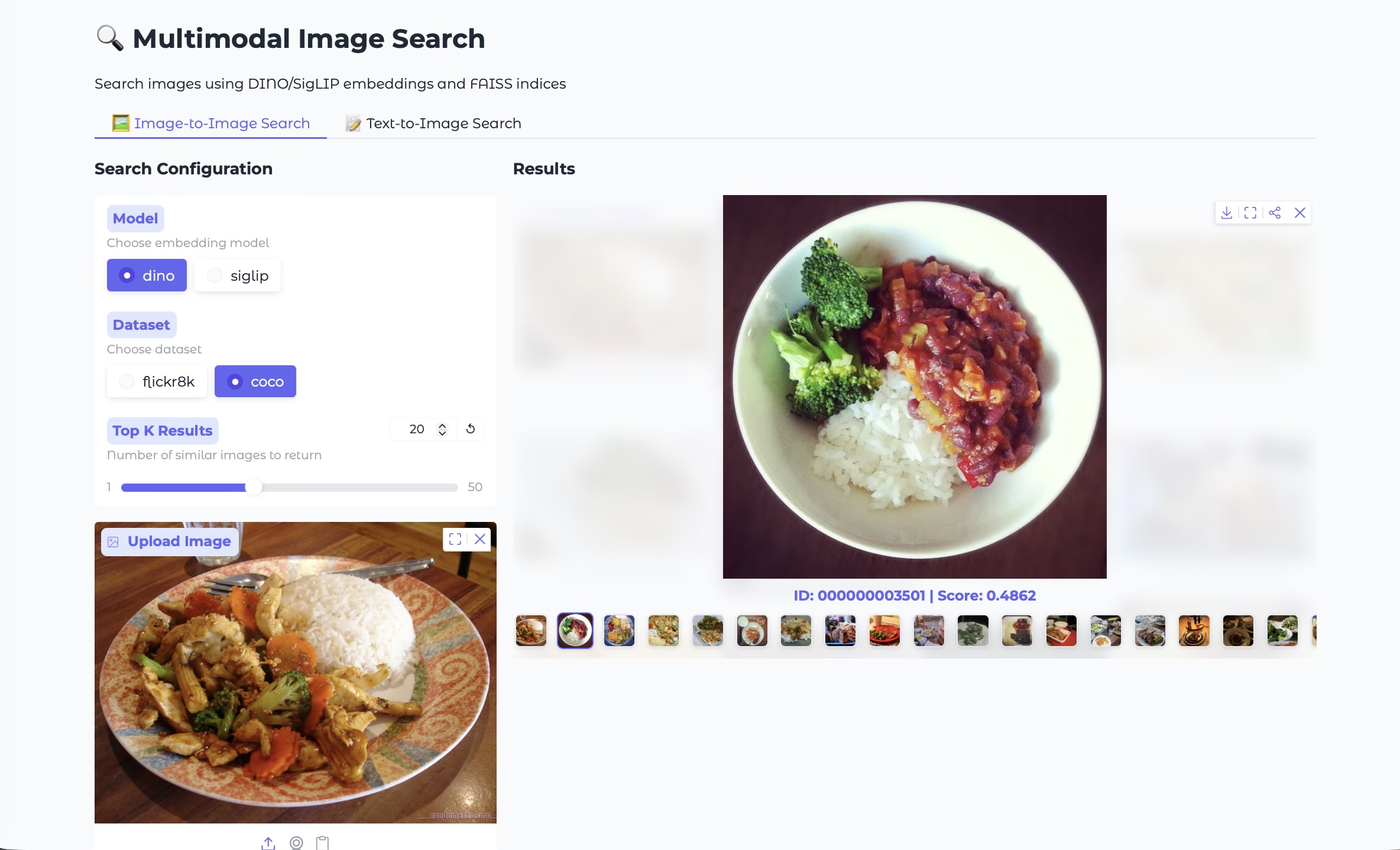
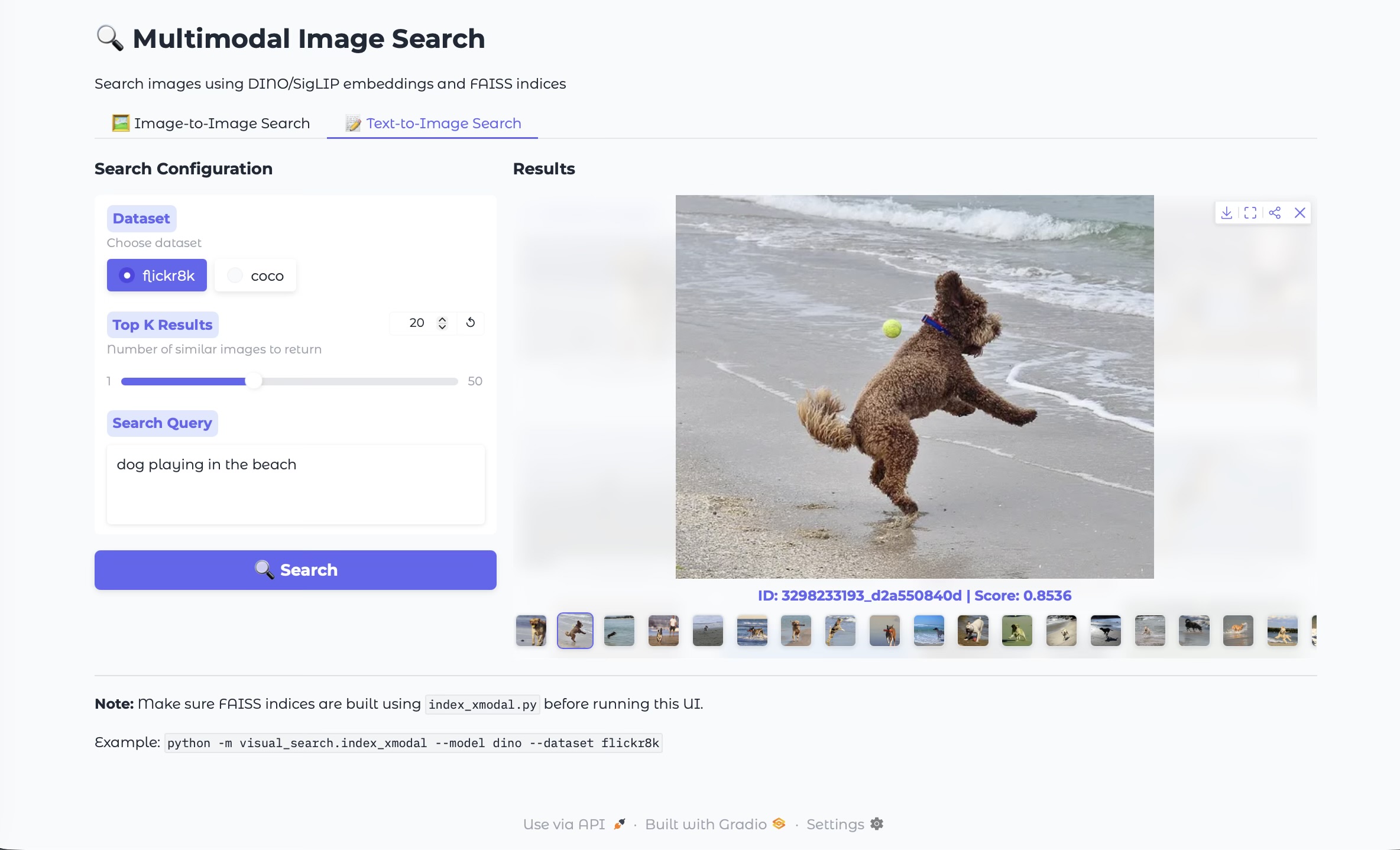
These ideas are packaged into this project with a full implementation and demo UI: Github link
Acknowledgment: This project and this blog post were developed with the help of GitHub Copilot and Gemini 3 Pro (via the Gemini Assist VSCode tool).